How to Locate Your Brivo API Key
Last updated: February 16, 2026
Brivo sends API credentials via a secure 1Password link that expires after 7 days.
Step 1: Check Your Email
Look for an email from brivoapi@brivo.com. The email will contain:
A title showing your Brivo Account ID
A secure link to access your API key
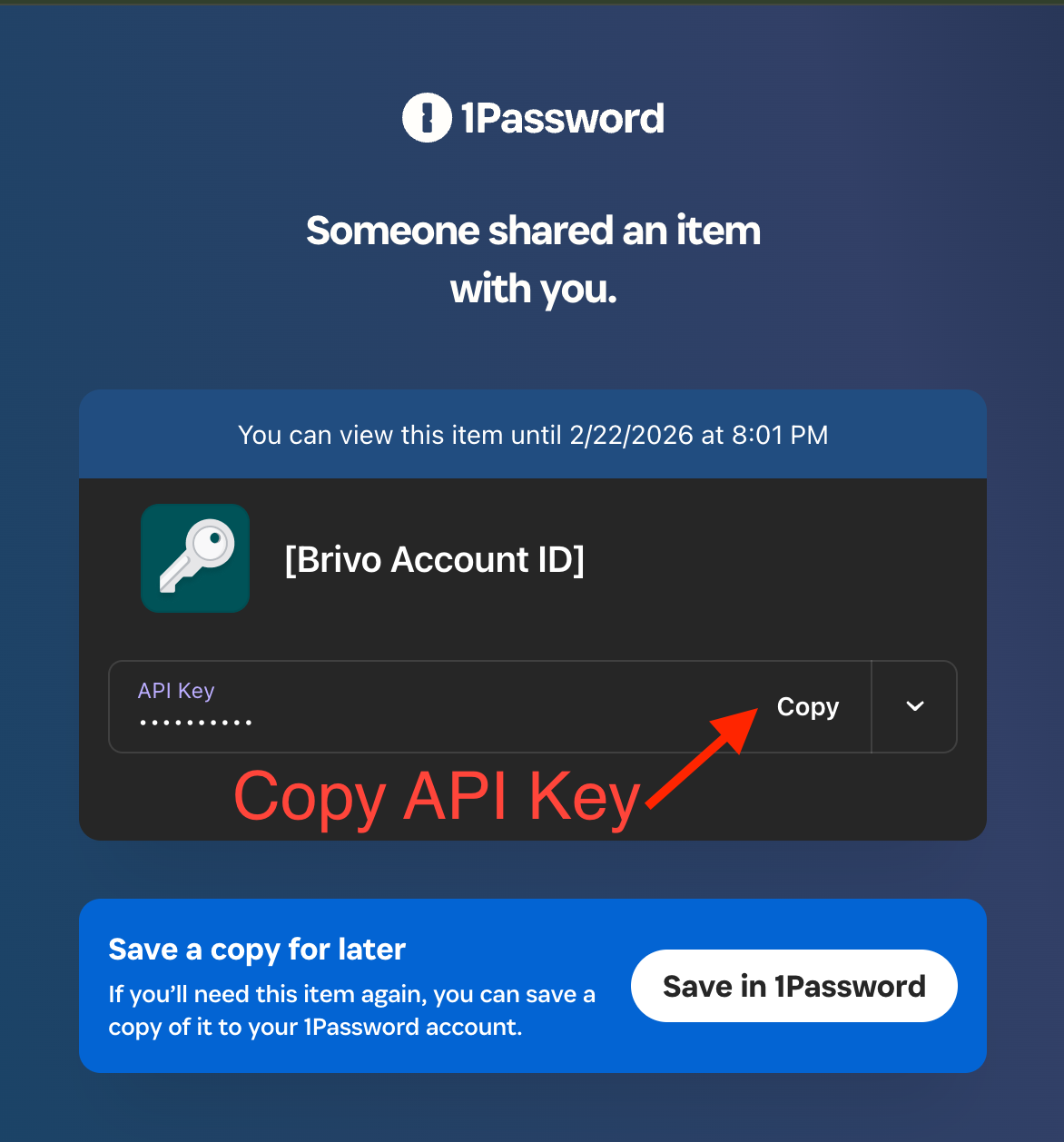
Step 2: Copy Your API Key
Click the secure link in the email
Find the "API Key" field in the dark section
Click the "Copy" button on the right side
Paste the API key into Seam
Still Getting an "Invalid API Key" Error?
If you've entered the correct API key and are still seeing an error, your API key may need to be activated by the Brivo team.
To activate your API key:
Contact the Brivo API team at brivoapi@brivo.com
Include your Brivo Account ID in the email (shown as the title in the 1Password link)
Wait for confirmation that your API key has been activated
Retry the connection in Seam
Troubleshooting
Link expired?
Contact your Brivo representative to request a new secure link
Can't see the API key?
The key is masked for security - just click the Copy button to copy it